# Device Registration

{% hint style="info" %}
The Email ID and Password required for the registration will be provided to you by our team on Email.
{% endhint %}

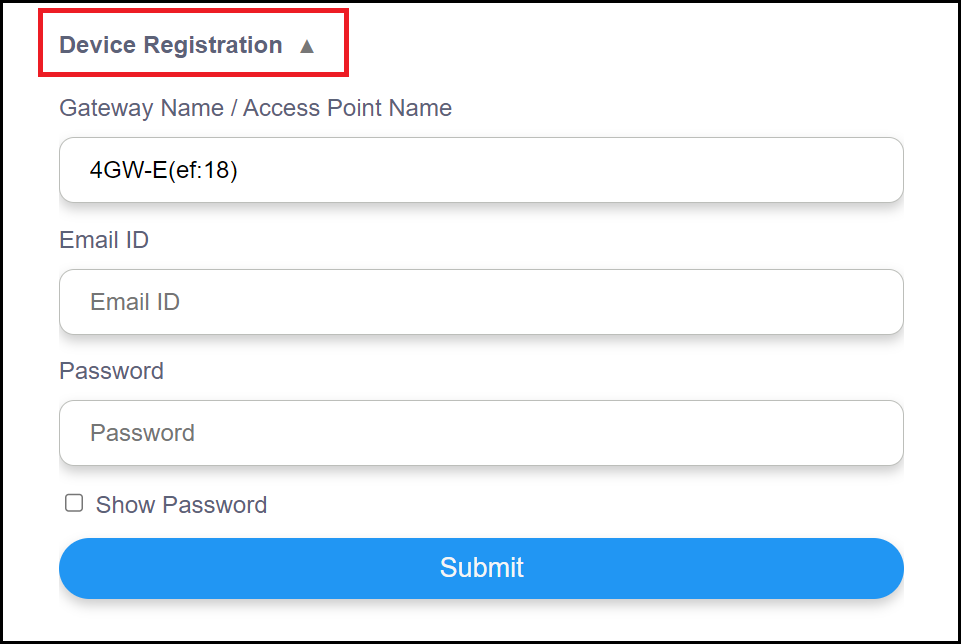
1. Click on **Device Registration**.

<figure><img src="https://1313992628-files.gitbook.io/~/files/v0/b/gitbook-x-prod.appspot.com/o/spaces%2FdTvSz7jpW1e3wAaLdma4%2Fuploads%2FrIT2B2KVA67j9e1qZMgk%2Fss13%20frame.png?alt=media&#x26;token=9440ea4f-04a1-417b-987a-91a9daa2c73e" alt="" width="563"><figcaption></figcaption></figure>

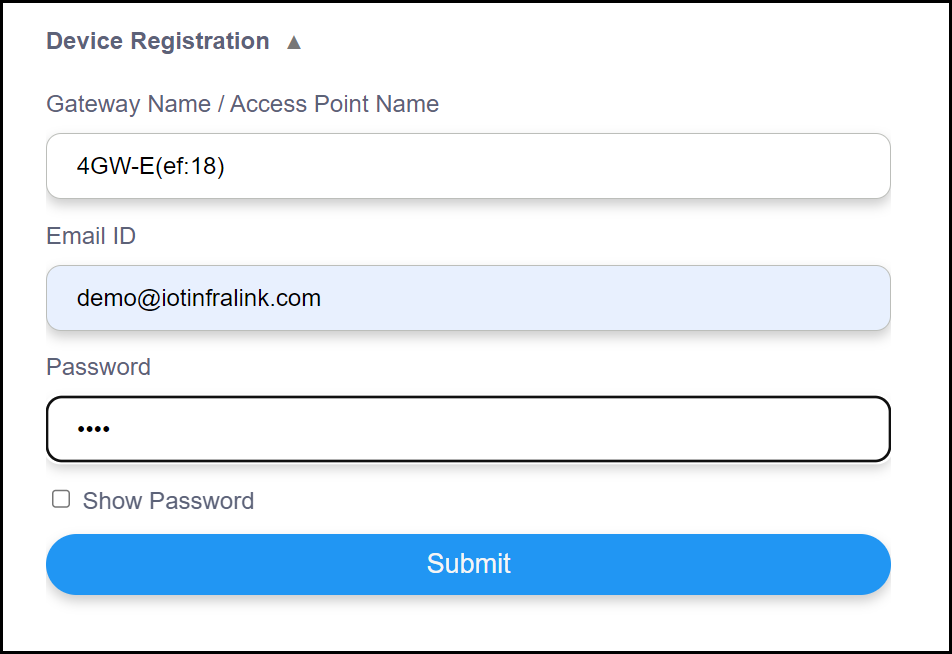
2. Enter the Email ID and Password provided to you.

<figure><img src="https://1313992628-files.gitbook.io/~/files/v0/b/gitbook-x-prod.appspot.com/o/spaces%2FdTvSz7jpW1e3wAaLdma4%2Fuploads%2FMW2QhnPaO4bCOdYNw354%2Fss14%20frame.png?alt=media&#x26;token=853ad1d7-4606-44b1-a30b-aff03c6ac4ae" alt="" width="563"><figcaption></figcaption></figure>

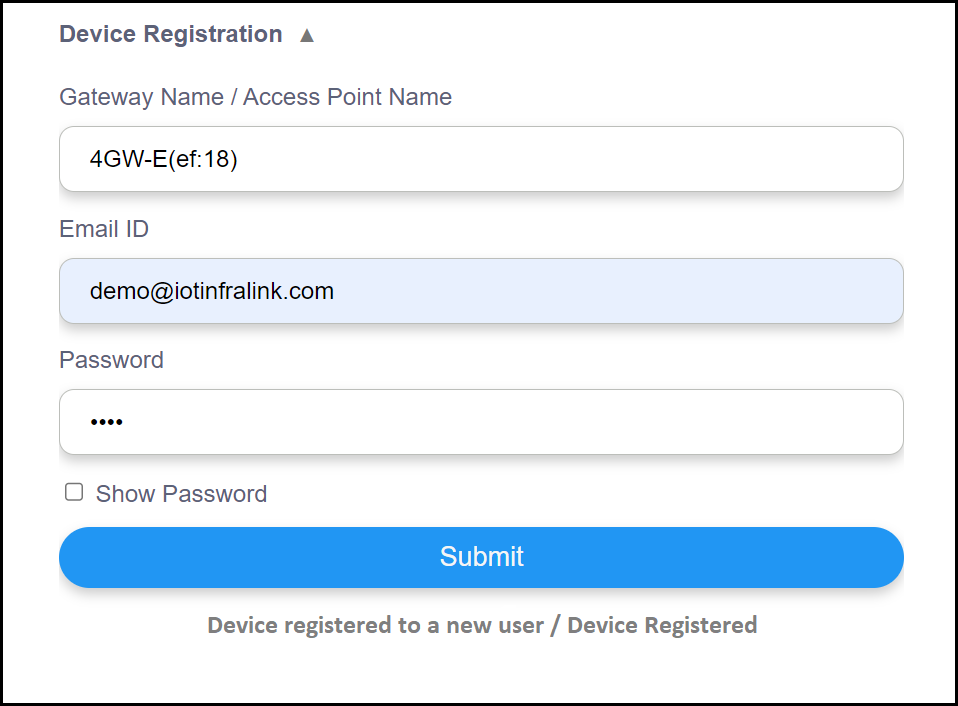
3. Click on <mark style="color:blue;">**Submit**</mark>.

<figure><img src="https://1313992628-files.gitbook.io/~/files/v0/b/gitbook-x-prod.appspot.com/o/spaces%2FdTvSz7jpW1e3wAaLdma4%2Fuploads%2FP3T4xCrfnXShv5A7gxoQ%2Fss15%20frame.png?alt=media&#x26;token=31edfd0d-88e6-4641-867c-60a3cc50d5d5" alt="" width="375"><figcaption></figcaption></figure>

{% hint style="info" %}
Do not forget to disconnect Gateway's hotspot network from your personal computer and connect to your WiFi network having Internet access before proceeding to [Gateway Configuration](https://aliter-business-solutions.gitbook.io/iot-gateway-user-manual/gateway-configuration).

&#x20;                                ![](https://1313992628-files.gitbook.io/~/files/v0/b/gitbook-x-prod.appspot.com/o/spaces%2FdTvSz7jpW1e3wAaLdma4%2Fuploads%2F3g7Pa4pa6drzaeh9YD93%2Fss16%20frame.png?alt=media\&token=31bb9f8a-197d-4a6a-9b1f-0750e67a6699)
{% endhint %}